
Have you ever seen an error while connecting to a UK-based website from the Australian domain? Sometimes, it shows an error. A few websites don’t allow access from foreign ground. Terrorism, cyberattacks, privacy and many more reasons are there to do so.
But it doesn’t mean that you can’t go there online. You can. If you have a VPN, it won’t be a Herculean task. Here, I’m specifically focusing on the remote access VPN.
Let’s begin with understanding what it is.
What is a Remote Access VPN?
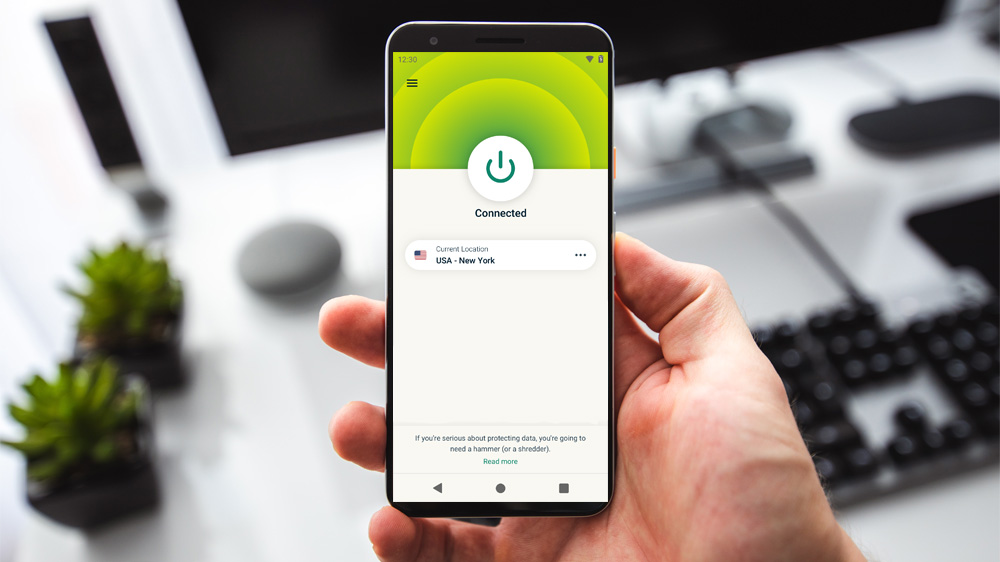
A remote access VPN is a secure digital tunnel that allows users to safely connect to the private network from any location worldwide. Substantially, it encrypts sensitive data so hackers or a foreign website cannot see what is being sent. So, a remote access VPN ensures total privacy.
Let’s say you work with an IT firm. And your job role takes you to the remote sites. These sites can be any other office premises or field. With this network, you can securely boot in to use the networked resources, like servers and software, etc.
This network has another name called Virtual Private Dial-Up Network (VPDN). It basically bridges the gap between the salesman, who has to visit the fields, and the main office. So, the expert IT consulting firms always recommend this network for a sales project.
Want to know how you can set it up in your office? Catch it below.
The 2 Essential Components for a Secure Remote Connection
1. NAS (Network Access Server)
Assume a Network Access Server (NAS) as a digital security guard that guards a private network.
If it’s dedicated, you would have every reason to heave a sigh of relief. The dedicated server has no one to share it with. You won’t have a third party to access your network ethically. Even your network would be a spacious and hacking-proof one.
If you don’t have a big budget, the shared server can be a good choice. But this network can threaten security, as there are many other users sharing the same network.
You need an internet connection to access these types of servers. It all starts with authentication. You simply sign up by using valid credentials. The individual hosts, like telecallers, mobile users and intranet users, can access it easily.
How it Works
The NAS is like a lock that only client software can unlock. Here is exactly what it does:
- The Identity Check: It asks for your authentic ID and password to check who tries to connect from a remote location.
- The Traffic Controller: Once verified, it allows access to a network. It allows you to reach the files effortlessly.
- The Dedicated Advantage: A dedicated NAS (singular) is excellent because it does not share a network with others, making your connection faster and much harder to hack.
2. Client software
Client software is like a key to unlock the door to a private network on your computer or phone. It keeps your information in a digital cover and parcels it to you wherever you are, ensuring only you can access it.
This software is special because it creates a secret, invisible space. If your employees or you yourself require linking through your system from a hotel, cafeteria or home, you can do it through this client software.
How it works with your Wi-Fi
- The Handshake: When you turn it on, the software protects every piece of data even if your home Wi-Fi is public or not strong enough. So, your Wi-Fi guides you through the path, but the client software performs the “handshake” with your office to prove you are who you say you are.
- The Guard: It transforms information into a secret code before you ever leave the network. If someone attempts to “spy” on your home Wi-Fi, he or she only sees scrambled data.
Today, operating systems are available with inbuilt client software. But if your system doesn’t have that software, you can install that specific application.
These two components together create an ideal network. Let’s look into how this combo sets up a network.
How Remote Access VPNs Encrypt Your Data: A Step-by-Step Breakdown
The client software creates a path to the NAS. Now, the host gains the ability to send any information to the remote access VPN. In turn, the client software encapsulates and sends the information in an encrypted form over the internet.
To create this setup, the IT solution company uses the IPsec approach. This approach enables encapsulating and encrypting the data. The two nodes, the host server and the client software, denote two endpoints on an IP network.
According to the second approach, the IT networking engineer needs tunnelling protocols. They allow the network user to get in and provide the network service that is not directly vulnerable.
3 Critical Security Challenges in Modern VPN Management
a. Erratic access of voluminous data
A distorted network is the biggest drawback of this kind of IT networking. If you compare the networking at your place via a fibre with a shared Wi-Fi connection, you’ll find several frictions in the remote access VPN network.
And the distance is another barrier. If the far-located client software undergoes any problem, controlling it is a hard nut to crack. Let’s say you want to send a long video or voice over the IP address. This kind of data can be engrossed in this network’s bandwidth.
Result: The online delivery fails.
b. SSL VPNs
The IPsec approach helps employees of an organisation to connect irrespective of distance. They can browse their shared drives, applications and other assets as they usually do in the office premises. Their vulnerability emerges as a big security threat.
Contrary to that network, the SSL VPN provides vulnerability of a precise application or asset. Therefore, the networking engineer can proactively create a setup under SSL protocol. That limited access would have fewer chances of hacking.
c. SSL to embed IoT
The camera, internet and sensor-fit devices are the major suppliers of data over the internet. They collectively define IoT in the corporate sphere. It monitors and controls systems that generate data together.
However, SSL protocol prevents malicious attempts by hackers. But IoT can’t be put under restrictions. It has to perform its function boundlessly. So, it’s one of the biggest challenges of this networking.
Conclusion
The need for security and budget determines whether to use or avoid a remote access VPN. However, a VPN is a powerful tool that can help overcome challenges like bandwidth lag and IoT vulnerabilities. A dedicated NAS and modern SSL encryption let a business protect its digital information from modern cyber threats.